
Your household memory.
Label the bin once. Find anything forever. Muninn remembers what’s in every bin and on every shelf — the garage, the storage unit, the attic, the closet under the stairs — so you don’t have to.
Or get a pack of printed labels
— weatherproof, already coded, from $26.
Have an invite? Join a household
iPhone, iPad and any browser · 6 bins free, kept
Built by a military familyafter a move that ended in identical bins.
“I know we have a tent. It’s in a bin. Somewhere.”
What people use it for
Life moves.
Your things stay findable.
The garage, the storage unit, the decorations you only need once a year. One household memory, wherever your things end up.
- Garage
The garage. Without the guessing.
Find the lantern, the drill, the thing you know you kept. Right bin. Right shelf.
Explore garage storage - Holiday & seasonal
Next December? Already remembered.
The lights, the ornaments, that one tree stand. Bring down the bins you actually need.
Explore seasonal storage - Insurance
A record before you need one.
Keep the photos and details together, ready to look up or export when someone asks.
Explore home inventory - Storage unit
Check the unit. Skip the drive.
Know what is in storage while you are still at home. Make the trip when you need the thing.
Explore storage units
Already made a list? Bring it with you.
Move your inventory from a spreadsheet or another app.
Label it once. Find it when you need it.
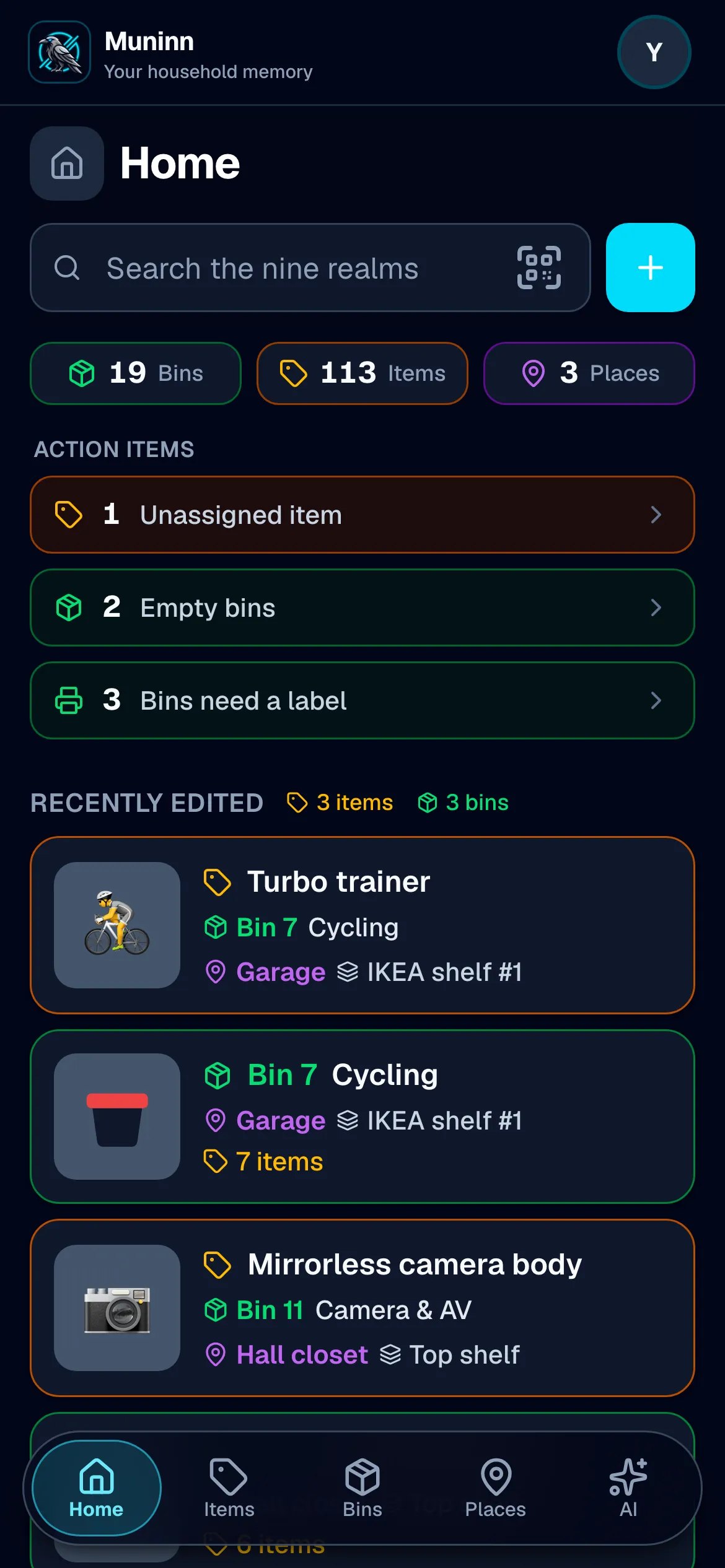
Search when you’re looking for something. Scan when you’re standing beside it. Every picture below is the app, running, on a real household.
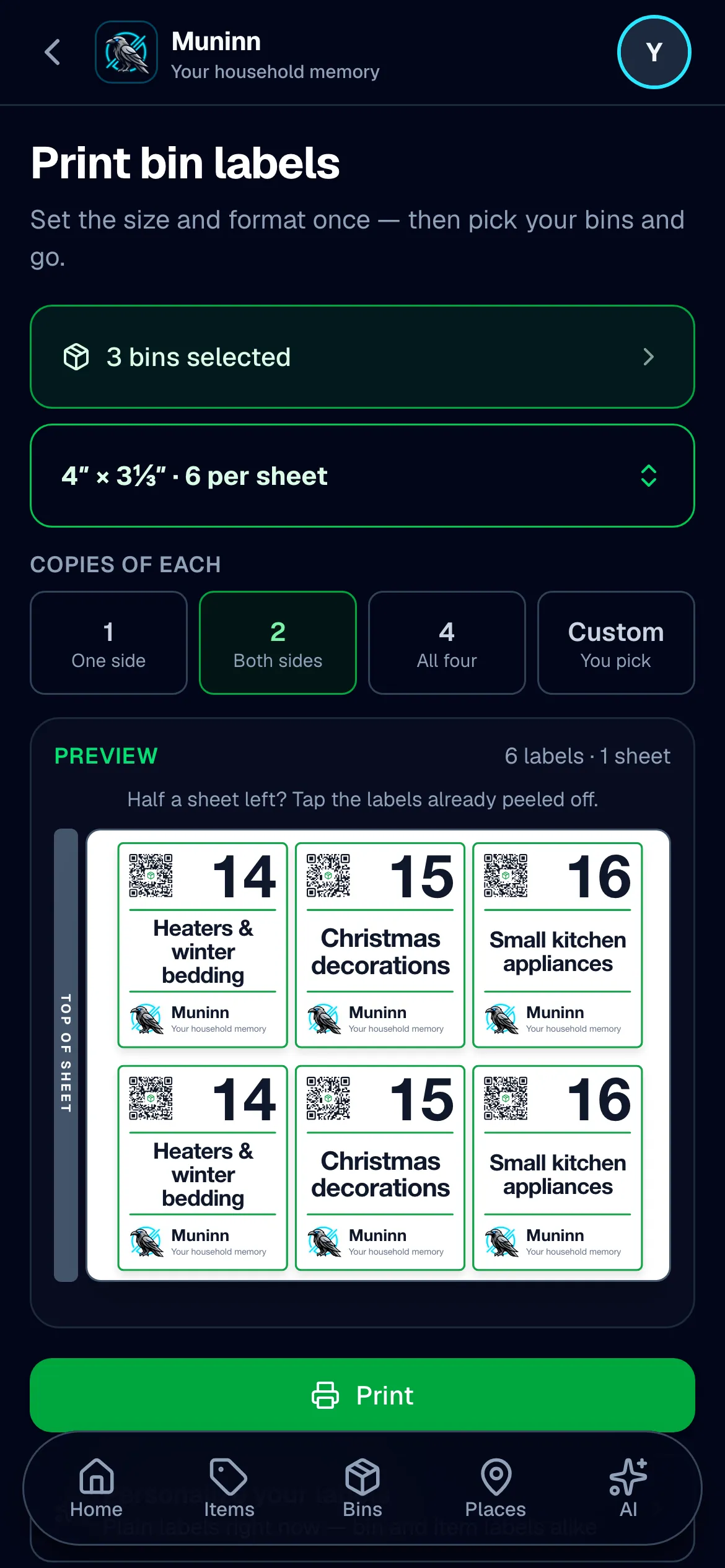
Label it once.
Print a QR label from your phone, or peel one off a Muninn pack — one for the front, one for the end. Scan the label to open the bin in Muninn, then tell it what you put inside.
Already put coded labels of your own on the bins? Scan one and attach it — Muninn doesn’t insist you use ours.
Find it from anywhere.
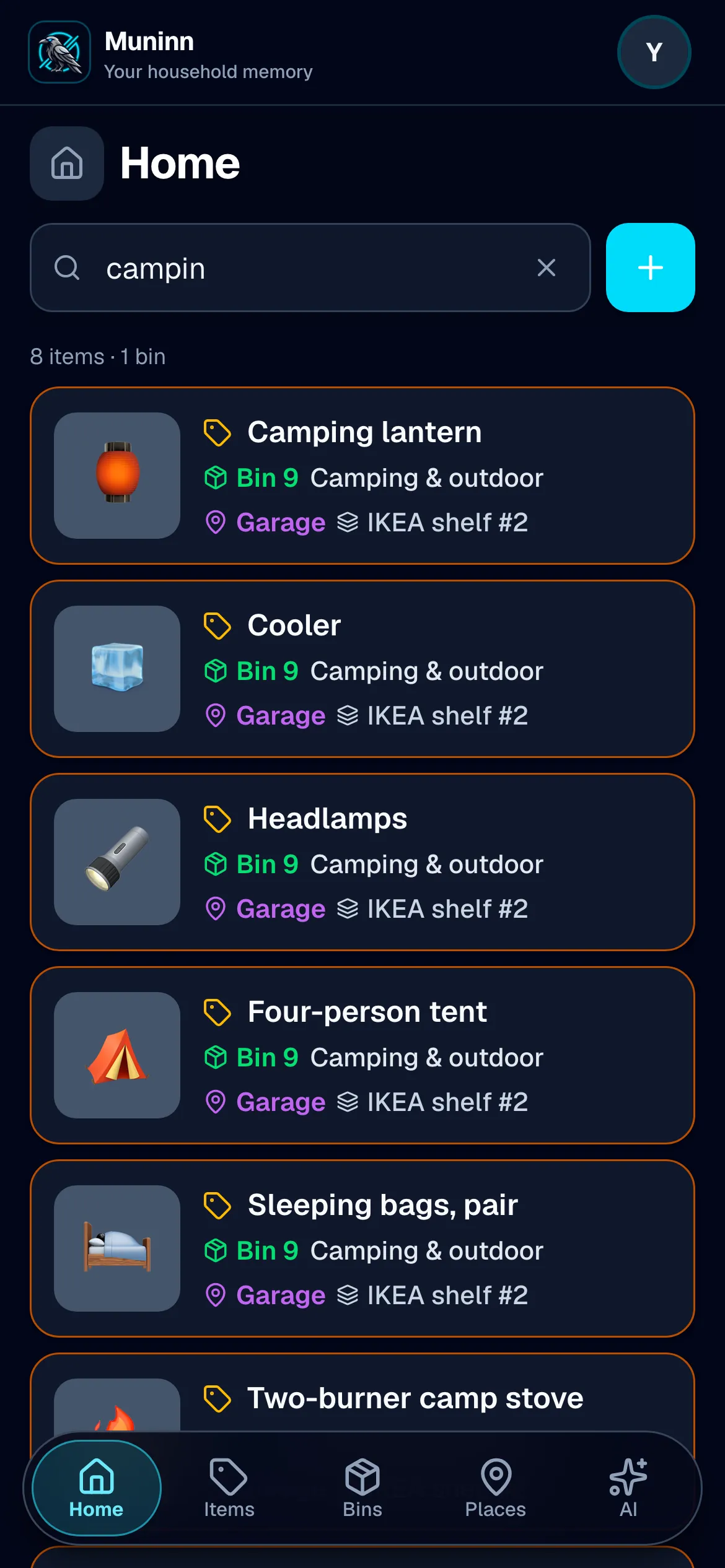
Still in the kitchen, looking for the camping lantern? Search for it. Muninn names the bin, the place and the shelf before you walk into the garage or open a single lid.
You don’t need the exact name. Even “campin” brings up the camping things, with where to find each one.
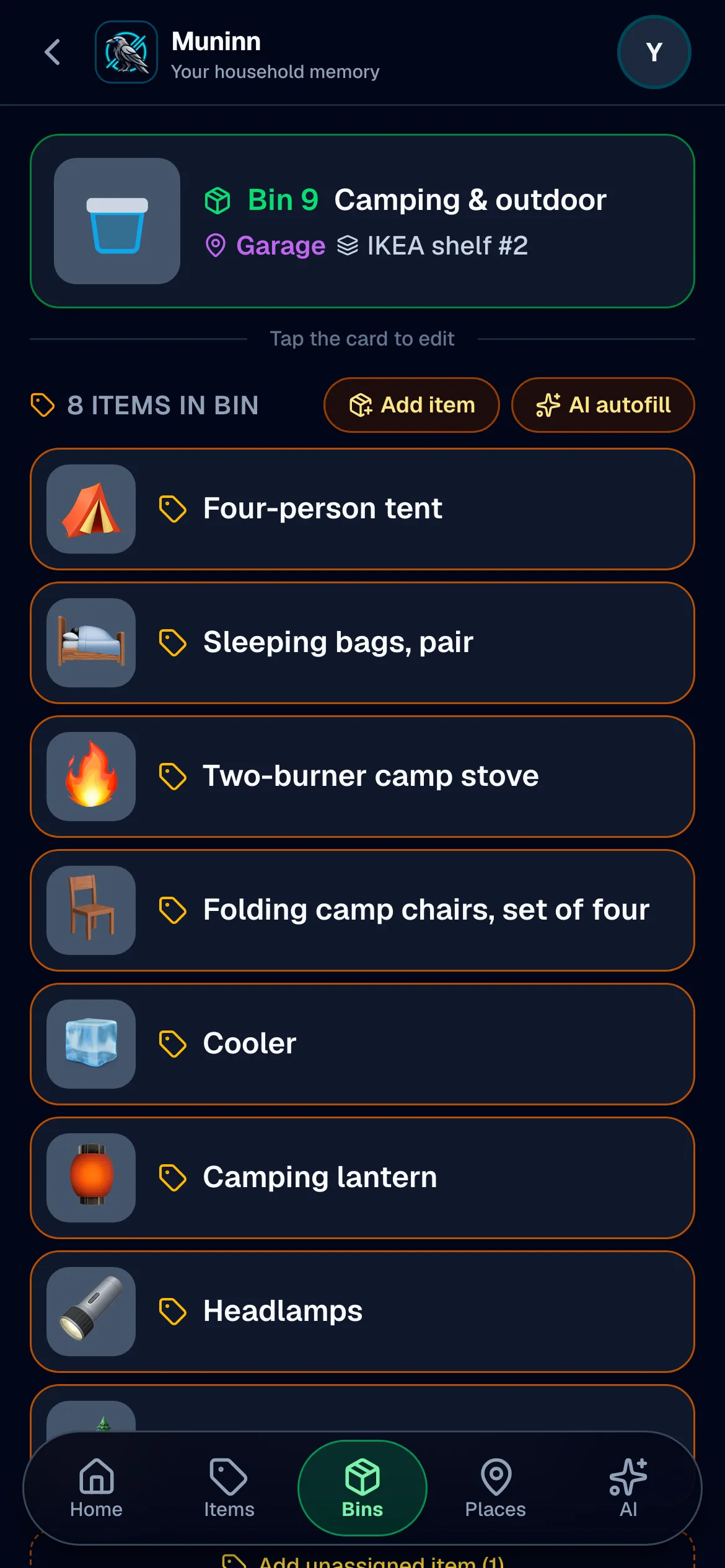
At the shelf? Scan it.
Standing beside the bin? Point your camera at its QR label and see what’s inside. Putting something away? Open the same bin to update its contents.
Your phone keeps a copy, so a basement or a storage unit with no signal is still a bin you can read.
Ask it in plain words.
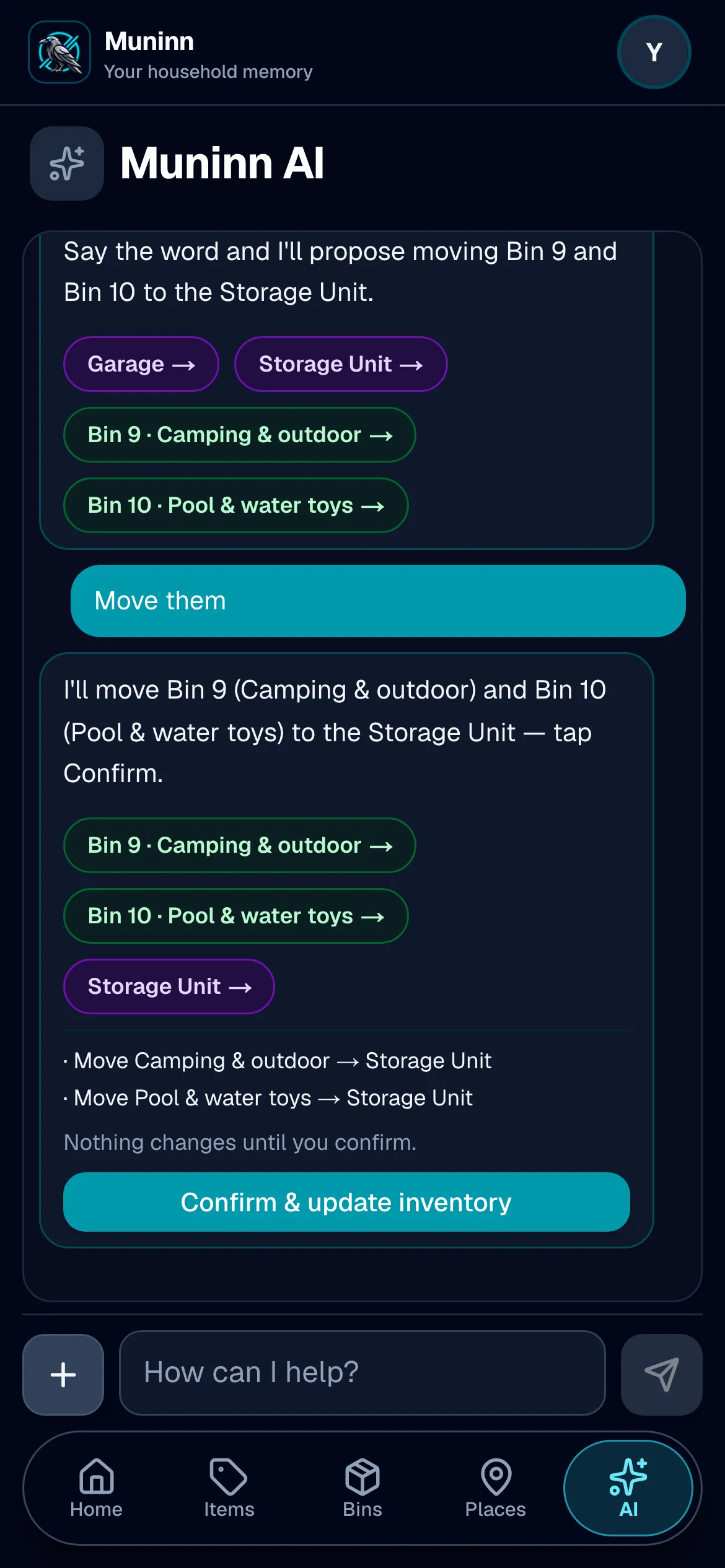
“We’re swapping summer for winter — what should go out to the storage unit?” Muninn reads the labels, the notes and what’s inside each bin, and names the ones to move. Say move them and it writes the changes out for you to confirm.
Nothing in your inventory changes until you tap confirm — and search is still there for the things you can name.
Try it
Ask the demo garage.
The household in the screenshots above — nobody’s real house. Pick a question.
Recorded answers. This demo never calls the model and never changes anything.
Muninn AI
Where’s the tent?
Bin 9, Camping & outdoor — garage, IKEA shelf #2. The four-person tent is in it, with the sleeping bags, the stove and the camp chairs.
Hands full?
Just ask Siri.
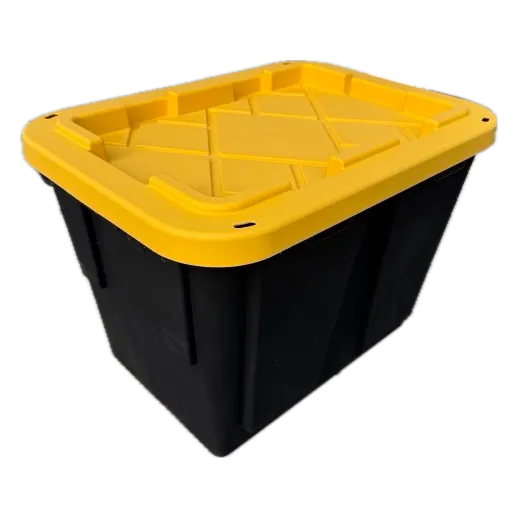
“Ask Muninn where my baseball bag is.”
It answers from the lock screen —
the bin, the place, the shelf.
The app never opens.
iPhone, iOS 16 and up.
Nothing to set up: say Muninn in the sentence.
Point your camera at it
Scan this page.
That is a Muninn label doing its job. This one opens a demo bin — nobody’s real house, nothing to install.

On your phone already?
Tap the label.
Scanning a Muninn label opens its bin. This one opens a demo bin — nobody’s real house, nothing to install.
Open the demo binBins move. Labels don’t.
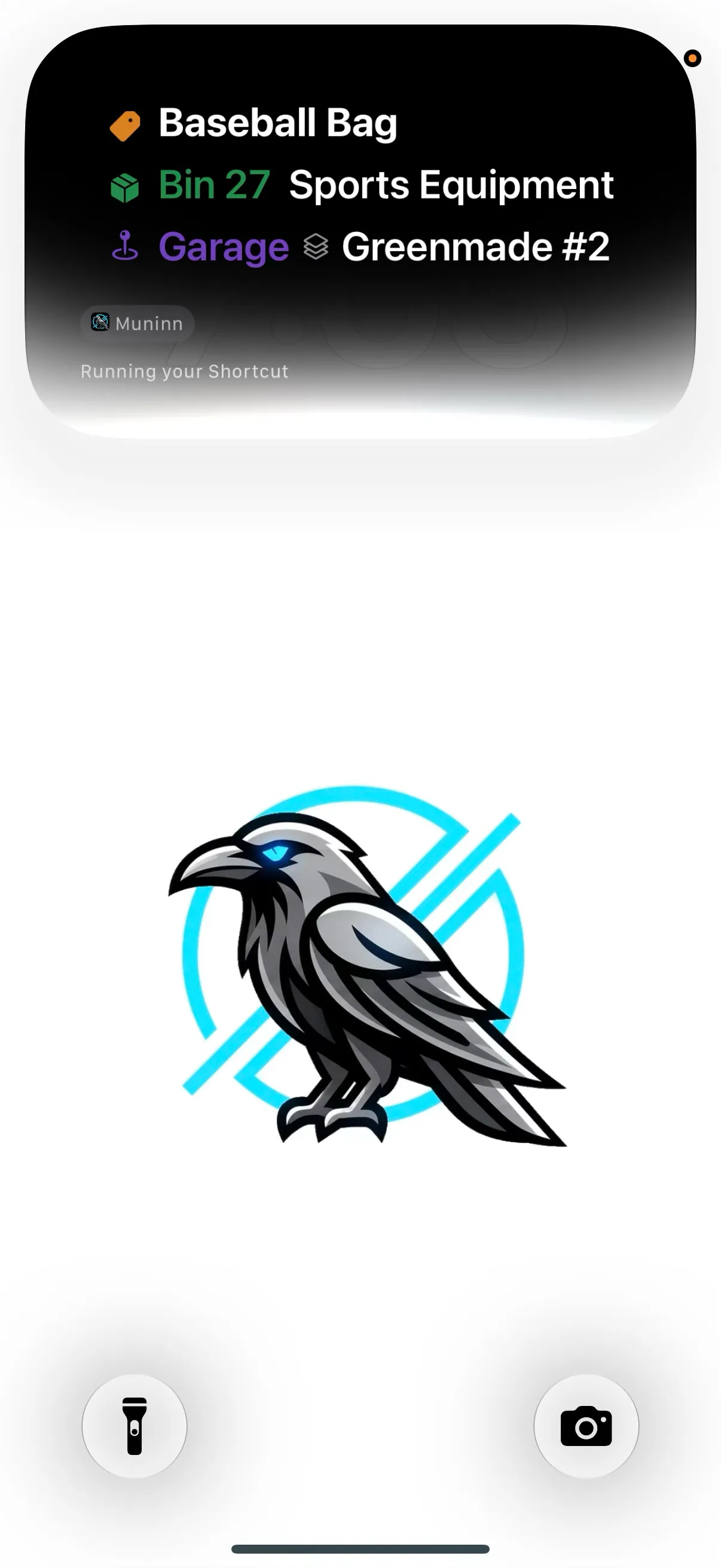
Write “Garage — shelf 3” on a box in marker and it is true right up until the day you move the box. A Muninn label never claims a place. It carries the bin and its code, and the app is what knows where that bin is today — so the seasonal swap that sends the camping bins to the storage unit in November costs you two taps and no reprinting.
The place is left off on purpose. A label that can go stale is worse than no label at all, because it teaches you to stop trusting what’s printed.
March — Still in the garage. No judgment.
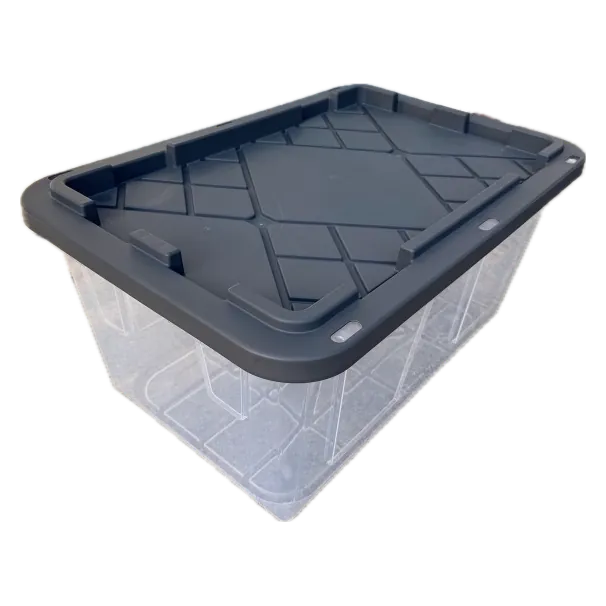
Christmas decorations
GarageWire shelf #2
6 items
August — Off to the storage unit until it’s needed.
Christmas decorations
Storage UnitMetal shelf #2
6 items
December — Back in the garage for the holidays.
Christmas decorations
GarageIKEA shelf #1
6 items
Same label all three times.
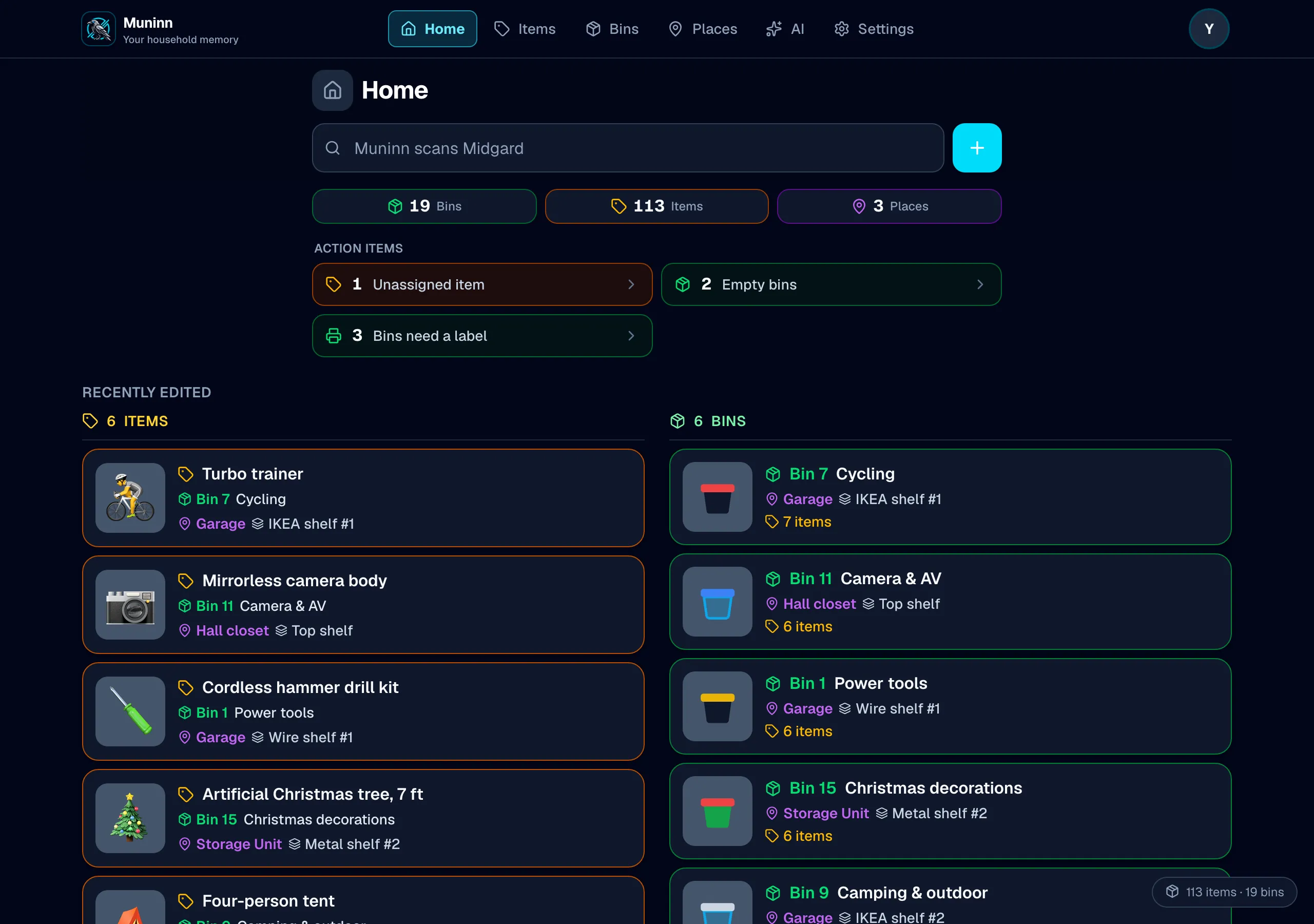
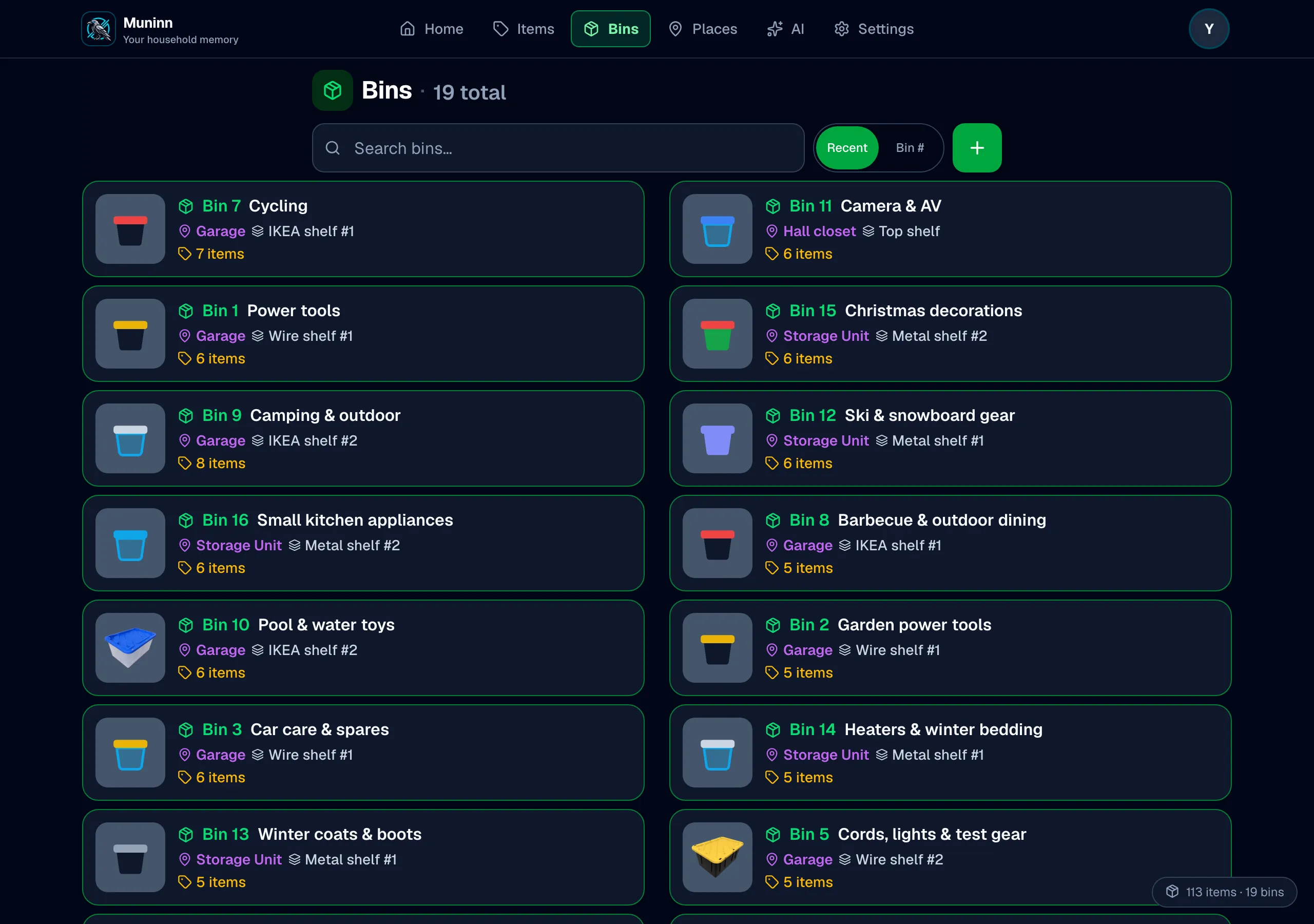
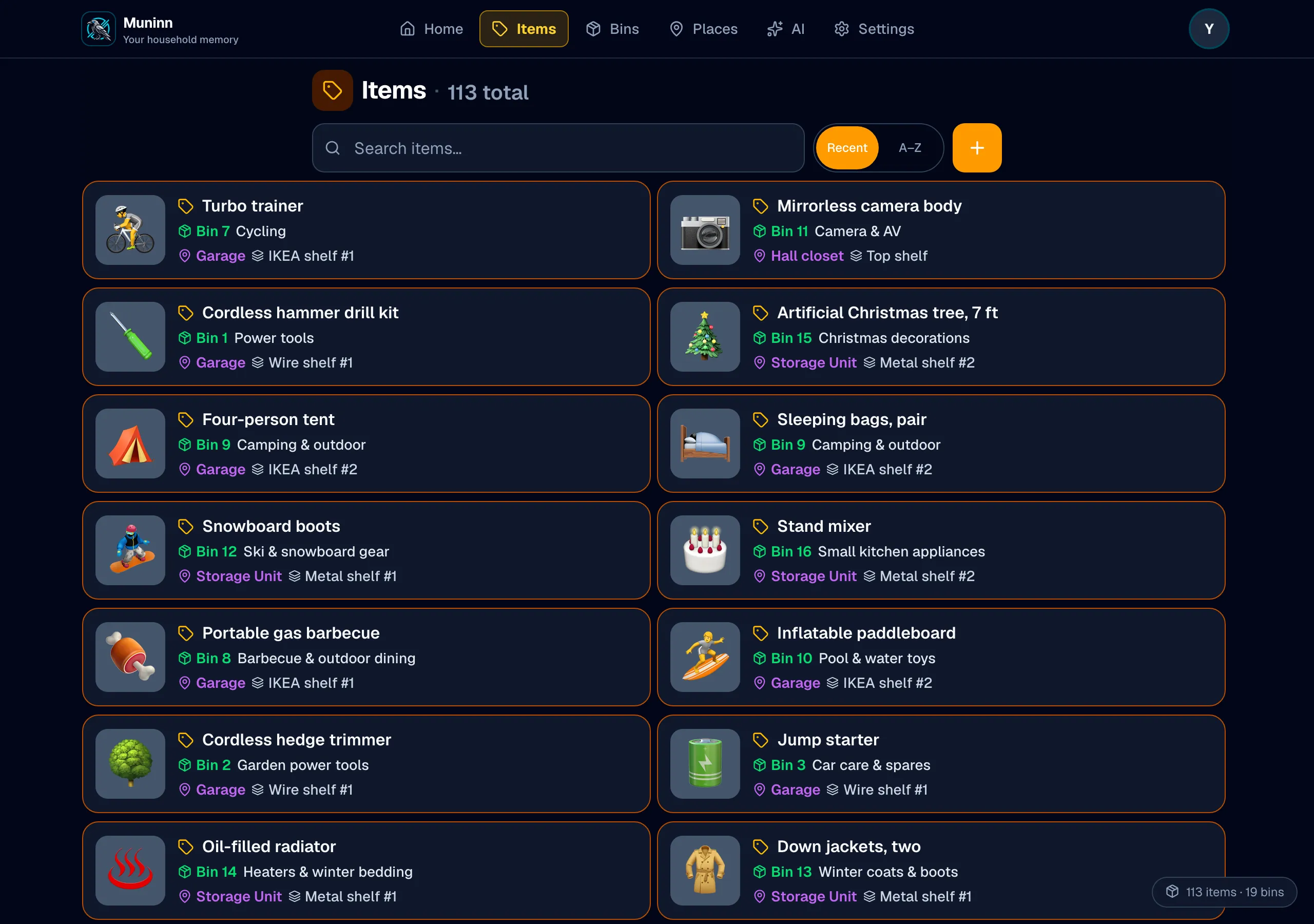
And it’s a proper app on a big screen.
Same household, same data, in both places. On a laptop the tab bar becomes a top nav and your lists run in two columns — so the rainy Saturday when you finally catalog the garage happens at a desk with a real keyboard, and the garage itself happens on your phone.
Label packs
Or let us print them.
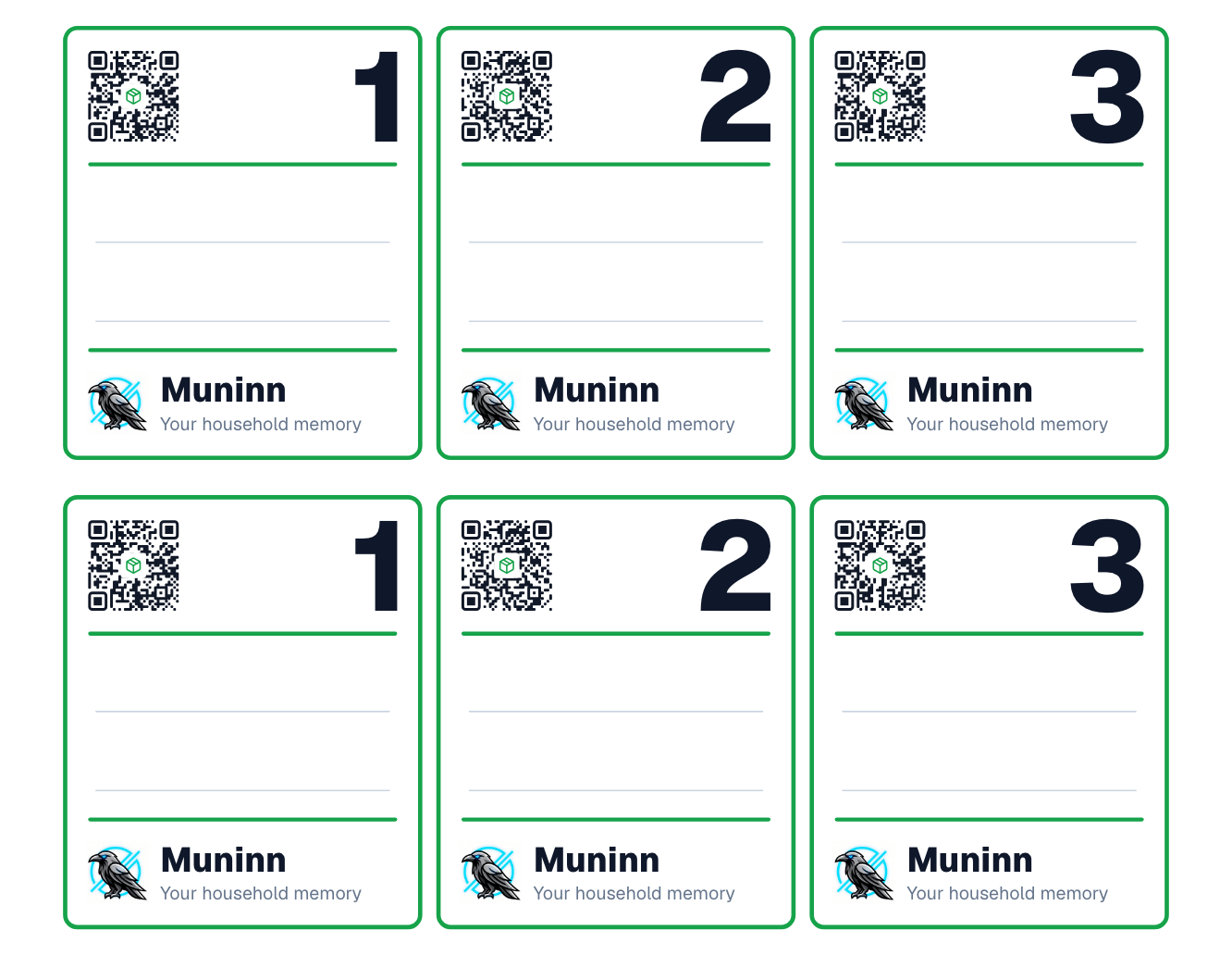
Every sticker in a pack already carries its own code. Peel it, stick it, scan it, and tell Muninn what went in the box. There is nothing to design, nothing to line up, and no sheet of blanks wasted on a misprint.
- Waterproof, not paper — garages, sheds, unheated storage units, a shelf that occasionally gets rained on.
- Two labels per bin, front and end. A bin whose only label faces the wall is an unlabeled bin.
- Coded at the printer, so no two labels ever collide — buy another pack next year and it slots straight in.
- Your own logo and words on every label, free — add them at checkout, no account needed.
- Starter pack — 12 bins, 24 labels$26
- Garage pack — 24 bins, 48 labels$36
Not sure which one? Muninn counts the bins that still have no label and puts the number on your Home screen — so the pack you need is a fact, not a guess.
See the label packsFree US shipping, mailed by an active-duty military family in Virginia. Rather print your own? The app lays out Avery sheets for that too, free either way.
Everything else it does
Bins, shelves, places
The way storage actually works: places hold shelves, shelves hold bins, bins hold your stuff.
Muninn AI
Snap a photo of an open bin and it catalogs the contents. Ask questions in plain words.
Dead-zone proof
Basements and storage units have no bars. Scans still answer from your device’s own copy.
Your data, exportable
Spreadsheets, a printable insurance report with photos and values, or JSON. No lock-in, ever.
The whole household
Invite family with a link. Everyone sees the same inventory, with view-only guests supported.
Reorganize in a tap
Move a bin to another place, or an item to another bin, from the thing you’re already looking at.
Questions people ask first
Do I need the app to use the labels?
Yes — and that is the point. A label carries a code, not your contents. Somebody who scans a bin in your garage gets a Muninn page, not a list of what you own. Only your household sees inside.
Does it work with no signal?
Yes. Scanning and searching work offline — a storage unit with no bars, a basement, a new house before the internet is connected. Anything you add offline syncs when you next have a connection.
What is actually free?
6 bins, unlimited items, and as many places as you like — with search, scanning, exports and the whole household sharing one inventory. No credit card. A limit only ever stops you adding more; it never locks what you have already put in.
Why two labels per bin?
They carry the same code — one for the front and one for the end. A bin whose label faces the wall is an unlabeled bin, and no single orientation fixes that.
Can I print my own labels?
Yes, on ordinary sheet labels from any printer, free, with your own name on them if you want. The packs exist for people who would rather peel than print.
Can I use labels I already have?
Yes. Any QR sticker you already own can be pointed at a bin, and Muninn will offer to bind it the first time you scan it.
How do I add my spouse or kids?
Invite them from Settings and everybody shares one inventory — on any number of phones, tablets and computers. Members are not charged separately.
What if I want my data out?
Export it whenever you like, on any plan including the free one, as a file you keep. There is also a printable report, place by place, with the photographs and values — the one an insurer asks for.
More questions? Support — a person reads it.
Let Muninn do the remembering.
You’ve got enough to keep track of.
Start free — no credit cardFree for 6 bins and as many items as they hold — and a label pack unlocks its own bins for good, so a Garage pack means 24 bins whether or not you ever subscribe. Muninn Plus lifts the caps if you outgrow them, and a cap only ever stops you adding more: what you have already put in stays yours to read, search and export.